−20% on every POS plan and −30% on hotel & gym, until 31 December 2026. See pricing
Gym module

Gym management software.
From memberships to check-in.

Members, memberships, check-in, classes and payments: everything that happens in the gym, in one system. Reception sees at a glance who is allowed in, members book classes from their phone, and renewals no longer get lost in a notebook.

Book a demo See the features →
Livereal-time occupancy
QRmembership card on the phone
0%commission on revenue
Daysfrom demo to go-live

Sound familiar?

The front desk keeps records in a notebook

Who came in today, whose membership expired, who still has sessions left: it all sits in the receptionist's head or in an Excel file. At peak hours it gets checked by eye, and access turns into "come on, I know you".

Renewals slip through the cracks

A member walks in, the membership expired a week ago and nobody noticed. The money comes in late or not at all, and you find out at the end of the month, from the cash discrepancy.

Classes get booked on WhatsApp

The spinning list sits in a group chat, half the bookings never show up and there is no waitlist. The trainer finds out how many people they have when they walk into the room.

Everything in one place

Six tools. One flow.

From the first membership to the end-of-month report, every action automatically updates the rest of the system.

01
The system core

Members & memberships

A full record for every member, configurable plans and status visible instantly: active, expired or blocked.

Full historyClass creditsAccess windows

02
Real-time

Live check-in & attendance

You scan the QR code and the system automatically checks the membership, the access window and the medical waiver. You see who is in the gym straight away.

Any QR reader24/7 accessNo expensive hardware
03
Automatic scheduling

Classes, bookings & waitlist

Members book with credits. When a class is full, the waitlist automatically moves up the next member if a spot frees up.

Live capacityAutomatic waitlistNo-shows visible
04
Recurring revenue

Renewals & collections

Automatic renewal by card or payment at the front desk, with a fiscal receipt and clear alerts when a payment needs attention.

Card or cashFiscal receiptPayment alerts
05
Right on their phone

Passwordless member portal

QR card, membership and bookings in a single link. No app to install and no passwords to reset.

Personal linkCard QRRevocable access
06
Decisions from numbers

Personal trainers & reports

Personal training sessions and gym reports sit together: revenue by plan, attendance by hour and occupancy rate.

Personal trainingRevenueClass occupancy
Member app

Your gym, on every member's phone.

Members see their membership, book classes and get in with the QR code on their phone. The app carries your gym's logo and colors; if you want, we publish it on the App Store and Google Play under your own name.
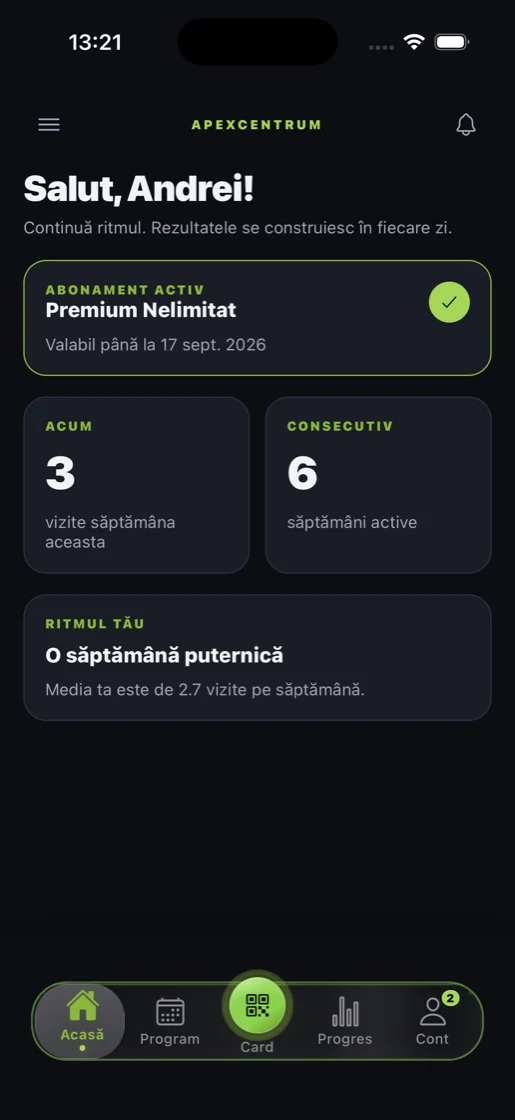
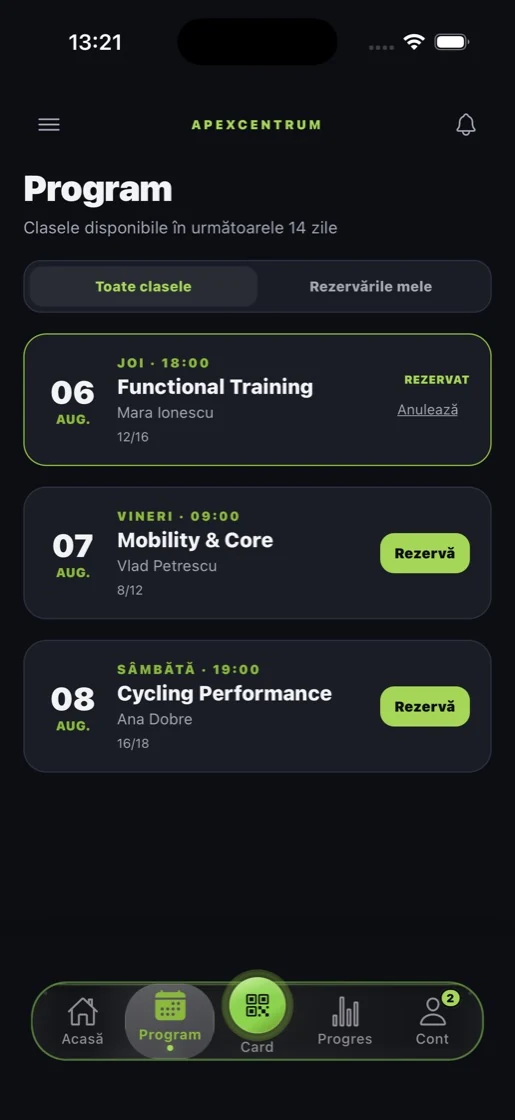
Member app, Home
HomeThe active membership, this week's visits and the current weekly streak.
Member app, Schedule
ScheduleClasses across 14 days, with spots remaining. Book or cancel with one tap.
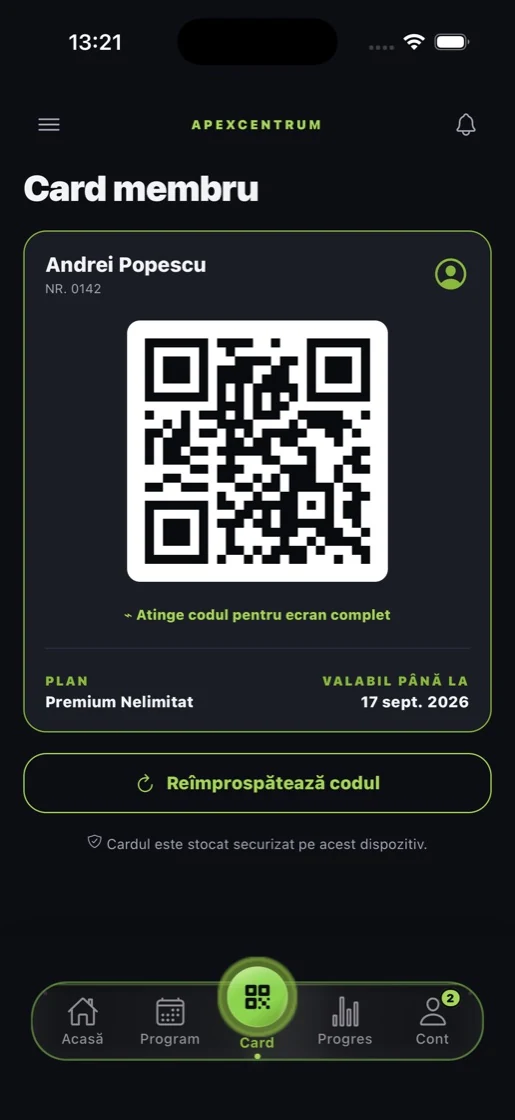
Member app, Membership card
Membership cardThe QR code for the front desk or the turnstile, with the plan and the expiry date.
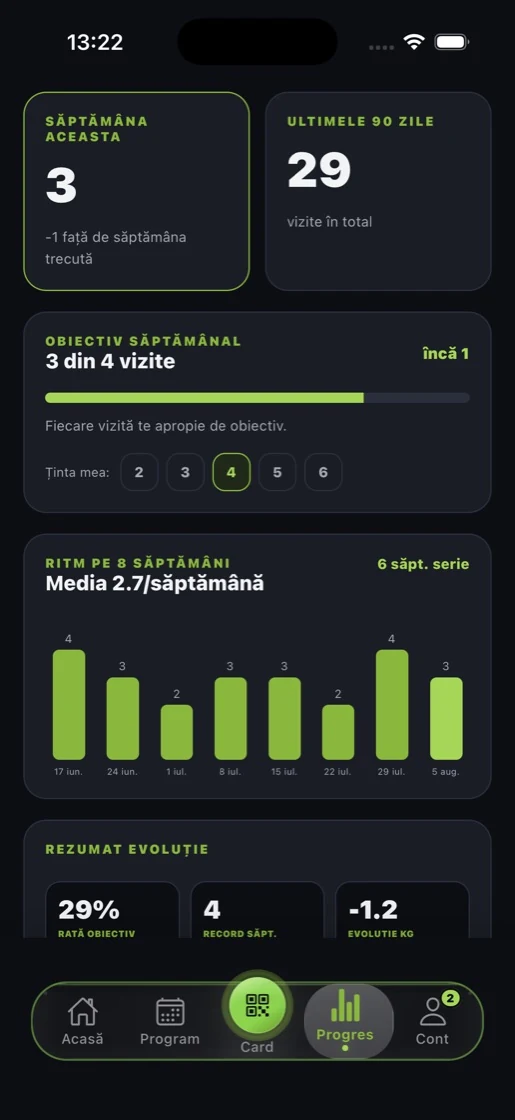
Member app, Progress
ProgressWeekly goal, 8-week pace and completion rate.
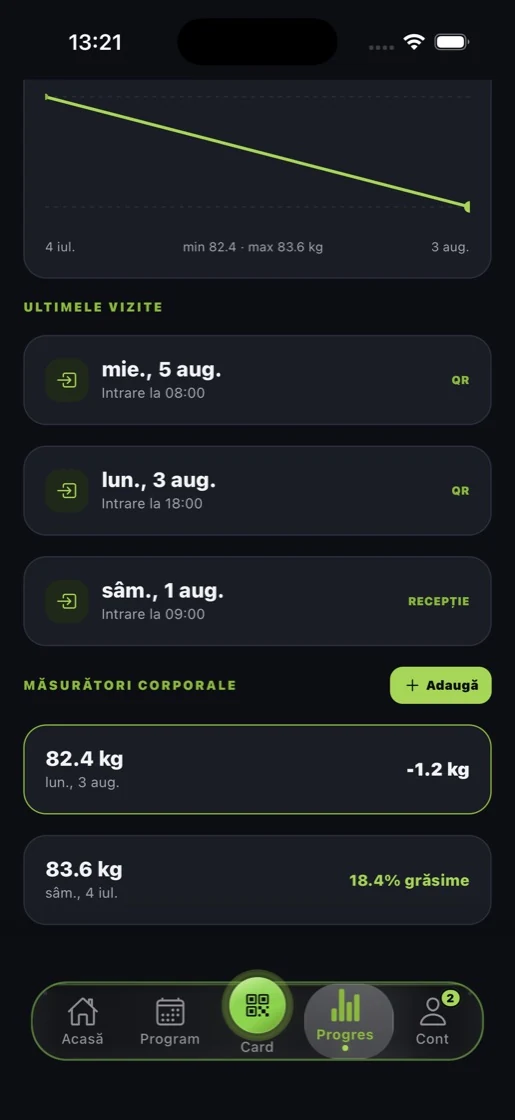
Member app, Measurements
MeasurementsWeight, body fat percentage and check-in history, with the source of each one.
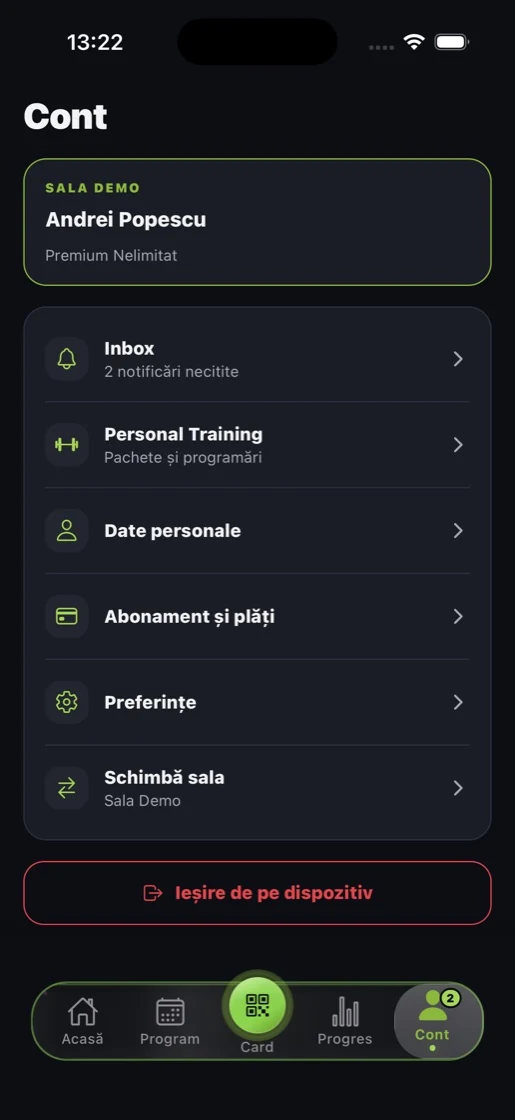
Member app, Account
AccountMembership and payments, personal training packages, changing gyms.

Screenshots from the real app, on a demo gym.

Real product screenshots

This is how the gym looks in admin

These are not mockups: they are the DelivCore screens, on a demo account.
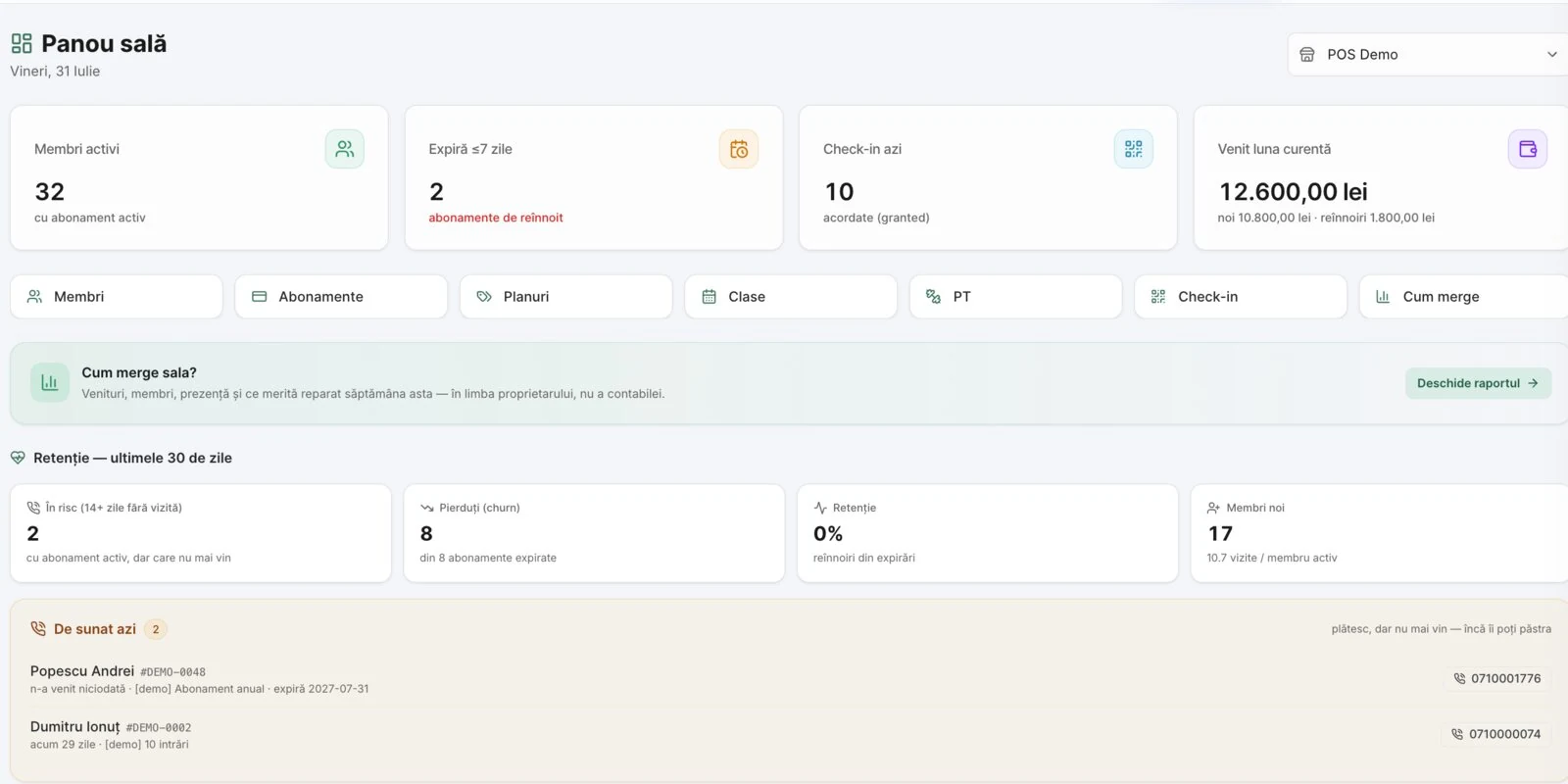
admin · /sala
The Gym module dashboard in DelivCore admin
Gym dashboard. Active members, memberships expiring this week, today's check-ins and the month's revenue, plus who is worth calling, on the same page.
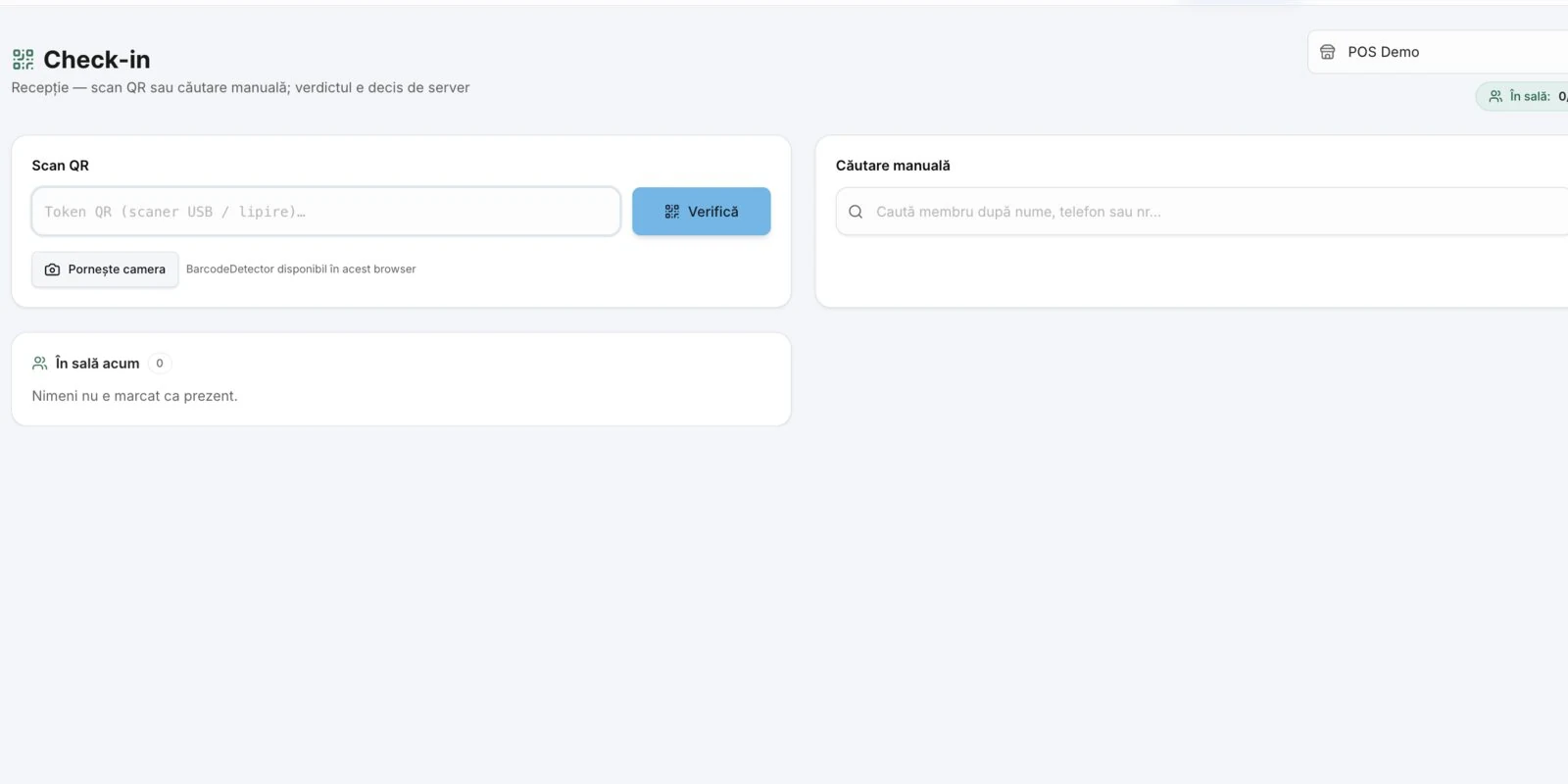
admin · /sala/check-in
The front-desk check-in screen
Check-in at the front desk. You scan the member's QR code or search by name; the server gives the verdict, and "In the gym now" shows how full it is.
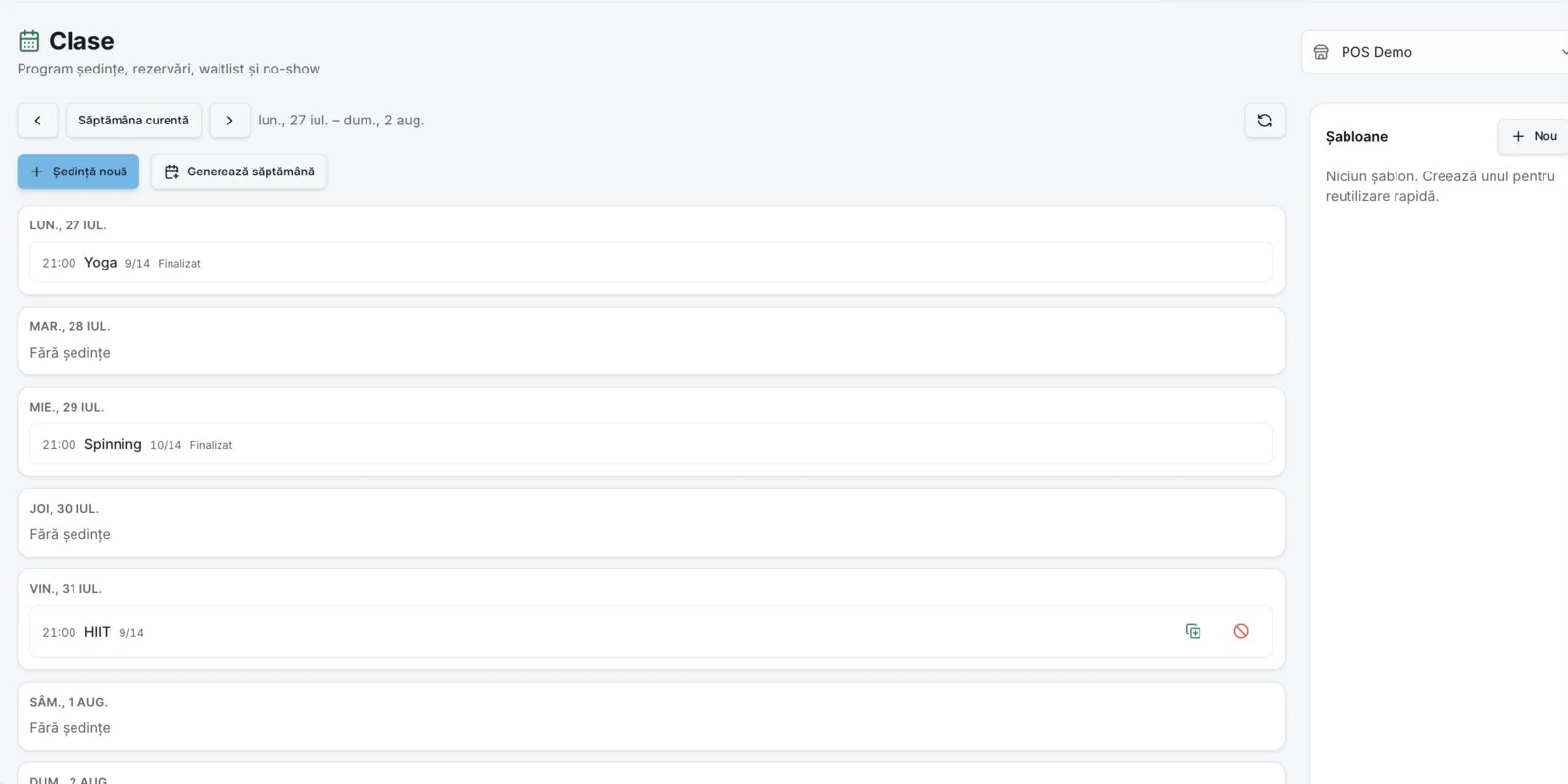
admin · /sala/clase
The weekly class schedule with occupancy
Classes per week. Every session with spots taken out of capacity (Yoga 9/14, Spinning 10/14), plus bookings, waitlist and no-shows.
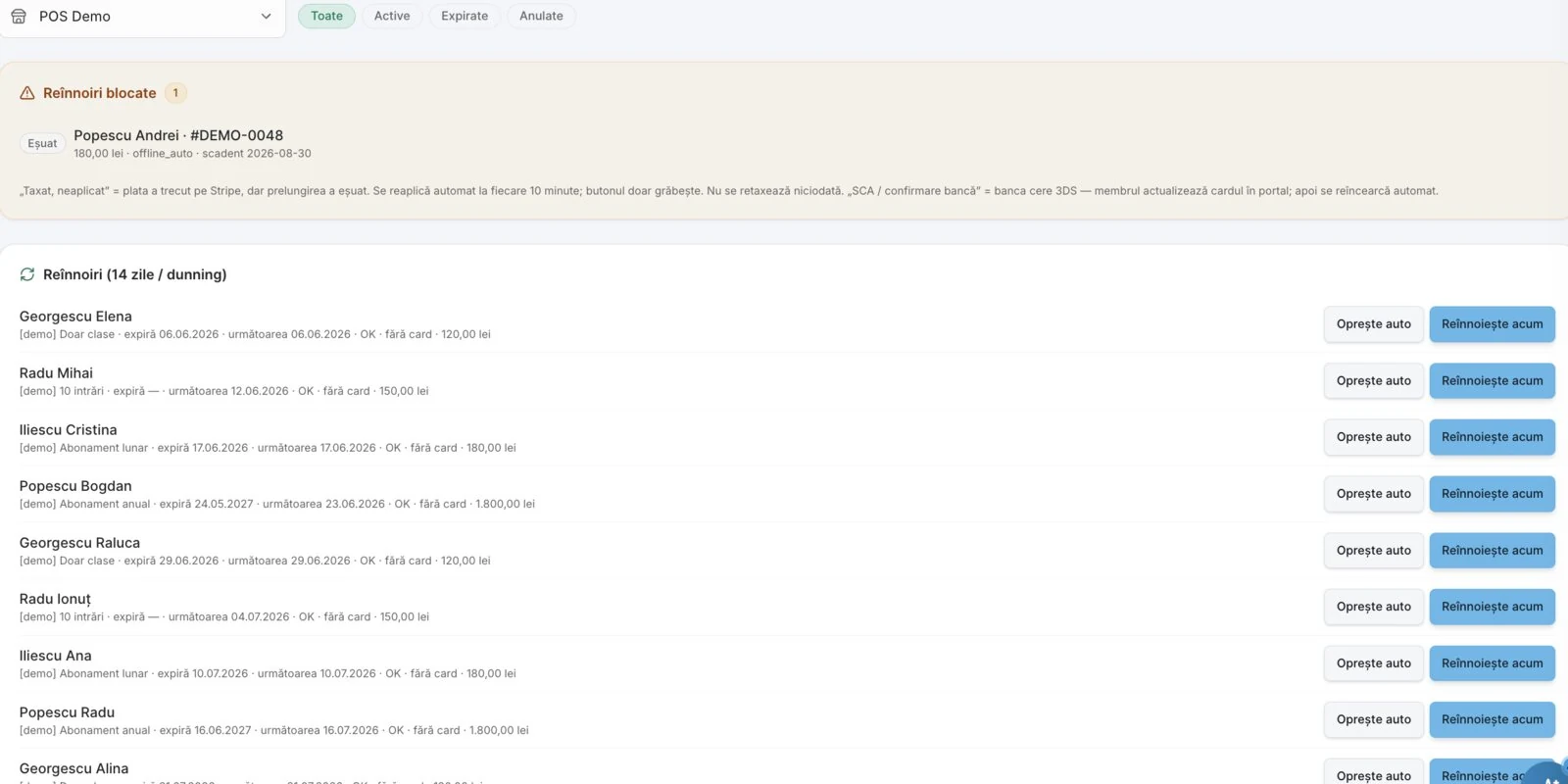
admin · /sala/abonamente
The membership renewals list
Renewals, up to date. Contracts coming up for payment and, at the top, the alert bar when a renewal needs attention now, not from your bank statement next month.
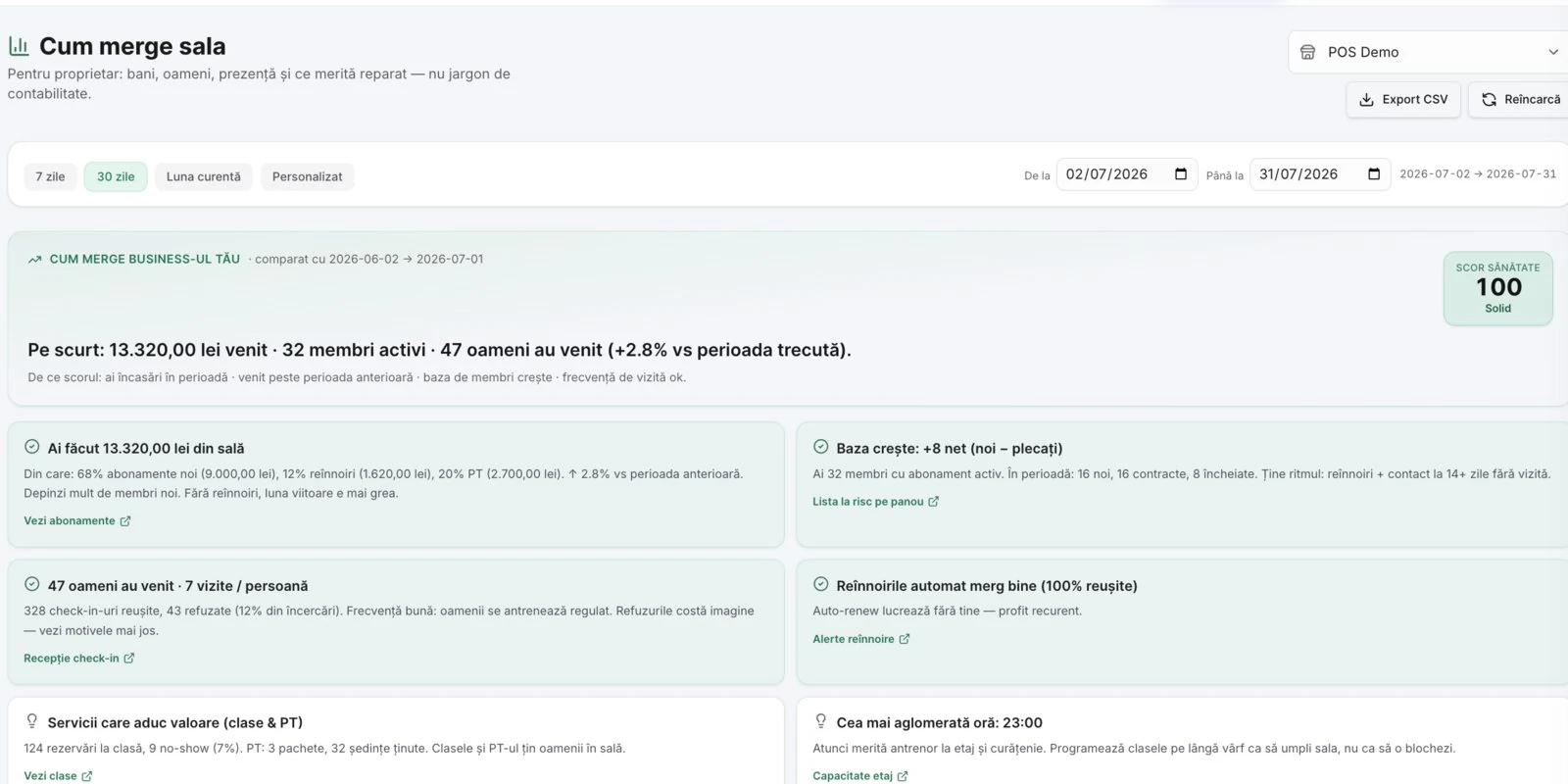
admin · /sala/rapoarte
The
How the gym is doing. The report written in the owner's language, not the accountant's: how much you took in and from what, how many people came, where renewals stand and what time the gym gets busy, with every conclusion linked directly to the screen that fixes it.

The gym bar, on the same system

Shakes, drinks, protein bars: selling at the bar does not need another piece of software.

POS for the bar

Fast selling with a menu by category, cash or card, on any tablet or laptop. The same POS that DelivCore restaurants use.

Fiscal receipt & Z-report

Printing to a fiscal cash register through the local connector, VAT per product and a Z-report at the end of the day. You are compliant with ANAF at the bar too, not just on memberships.

Stock & management

Goods receipts (NIR), live stock with alerts and consumption reports for the bar products, the same complete inventory as the rest of the platform.

Member card

The membership card lives in the phone’s wallet, not in a gym bag.

Not every gym member wants another app on their phone. So the card is added straight to Apple Wallet and Google Wallet, where it opens like a boarding pass: no account, no install, no password asked at the door.

Opens without an app

The member gets a link, taps once, and the card sits in their phone’s wallet. From there it comes up with a single gesture, even on a locked screen, exactly like a boarding pass.

The entry code is on the card

The check-in QR code sits on the card itself, so the front desk scans once and sees immediately whether the membership is valid. Nobody hunts for a name in a notebook at peak hour.

It carries your brand

Your gym’s colour, logo and name are on the card. For members who do want the app, it exists separately, with their membership, class bookings and the same entry code.

Pauses and renewals

Away for a month? Freeze the membership instead of losing it.

A holiday, an injury or a long trip is the number one reason a member walks away. The system treats those as a pause, not a loss.

Frequently asked questions

Do I need turnstiles or special hardware?+
No. Check-in happens at the front desk, from admin, on any laptop or tablet, and the member shows the QR card on their phone. For the gym bar you can add a fiscal cash register, the same as at any DelivCore point of sale.
How do members book their spots in classes?+
From the member portal, opened on the phone from a link, with no app and no password. The booking uses a credit from the membership, and if the class is full, the member joins the waitlist and is moved up automatically when a spot frees up.
What happens when a member's membership expires?+
Status shows up right at check-in, so nobody walks in "out of habit" any more. The membership renews automatically by card or is collected at the front desk, and if a renewal fails or goes uncollected, it turns up in an alert bar in admin.
Can I sell at the gym bar with the same system?+
Yes. The bar uses the DelivCore POS with fiscal receipts, stock and inventory, the same platform that holds the members and the memberships. One till, one Z-report, one supplier.
How long does it take to get started?+
A few days: we set up the membership plans, import your existing members and train the front desk. The gym gets the system on its own domain, with its data kept separate from every other client's.
Do members have to install an app?+
No. The membership card is added to Apple Wallet or Google Wallet from a single link and opens like a boarding pass, with no account and no password. The gym app exists separately, for members who also want class bookings and their history, but entry works without it.
What happens if a member is away for a month?+
You freeze the membership, and when it unfreezes the end date moves by exactly the days they could not come. How many pause days each membership type allows is your decision; the system keeps count, subtracting days already used and pauses still running, so the quota is never quietly exceeded.
How do members pay for a renewal?+
From the member portal, by card. They see when the membership expires and pay without waiting for the front desk. The money goes through your own payments account, and the renewal shows immediately on the member record and on the card in their wallet.
Gym module

See it in your gym,
not on slides.

Book a demo and we will show you the front desk, the classes and the member portal on a test account, then we talk through importing your members.

Book a demo See inventory too →
Marketplace, POS, hotels & gyms

Choose the software for your business.

Start with your delivery marketplace, or explore dedicated software for your restaurant, hotel or fitness club.

Food delivery marketplace software

Build a multi-restaurant marketplace under your brand, with customer and courier apps, dispatch and operator controls.

Explore the marketplace platform →

Restaurant POS software

Connect table service, waiter orders, kitchen displays and inventory with your online ordering operation.

Explore restaurant POS →

Hotel management software

Bring reservations, reception, housekeeping and restaurant charges together around the guest stay.

Explore hotel software →
International rollout

Plan your launch around your market.

Tell us your country, business type, preferred language and payment provider. We will review the modules, hardware and integrations for your rollout. Payment availability, tax reporting and fiscal device support depend on the country; Romanian fiscal integrations are described separately in our Romanian fiscal guide.

Discuss your market and book a demo