
Aggregator orders
land in the POS on their own.
Bring delivery-channel orders into the restaurant workflow alongside your menu, stock and POS. Review Glovo, Wolt, Bolt Food and Foodify separately: order receipt and live menu publishing have different activation requirements. Confirm the supported flow and provider access for each restaurant before launch.
 Glovo
Glovo
 Wolt
Wolt
 Bolt Food
 Foodify
Every re-typed order costs time and money.
When the portals sit apart from the POS, someone reads off a tablet and types it into the till again. That is where the mistakes that end up as bad reviews, refunds and portal penalties are born.
Four portals, the same connection.
Every channel is set up per restaurant, from the channels panel. Credentials are stored masked, and orders come in through a webhook with its own secret, separate from the rest of the system.
You connect the Glovo account per restaurant, from the channels panel. The key and the secret are stored masked, and the panel never shows them in full again, only the last four characters.
- Per-restaurant setup, masked credentials
- Order ingestion over webhook, with its own secret
- Price and availability sync from the menu
- Live publishing: on your own Glovo Partners API contract
The same setup per restaurant, with its own virtual store. Orders land in the delivery panel in the POS, with products, options and notes, ready to accept.
- Per-restaurant setup, masked credentials
- Order ingestion over webhook, with its own secret
- Price and availability sync from the menu
- Live publishing: on your own Wolt API contract
The third big portal in Romania, on the same connection. Order status stays in one place, in the POS, not on a separate tablet next to the till.
- Per-restaurant setup, masked credentials
- Order ingestion over webhook, with its own secret
- Price and availability sync from the menu
- Live publishing: on your own Bolt Food API contract
The ordering marketplace from the same ecosystem. It is set up like any other channel, and its orders get their own source, so you can separate them in reports from the ones in the dining room or from your online store.
- Per-restaurant setup, masked credentials
- Order ingestion, with a separate source in reports
- The same menu mappings as with the other aggregators
- Live publishing: through the Foodify integration
One menu, published from a single place.
You keep products, prices and availability in DelivCore. When you change something, the change is queued for every connected portal and sent on, without you going into their panels.
- Photos, descriptions, variants and extras
- Allergens, additives and nutritional values
- Time windows, for menus that only exist at lunch
- Fast changes, grouped automatically, so you don't flood the portal
One panel, not four tablets.
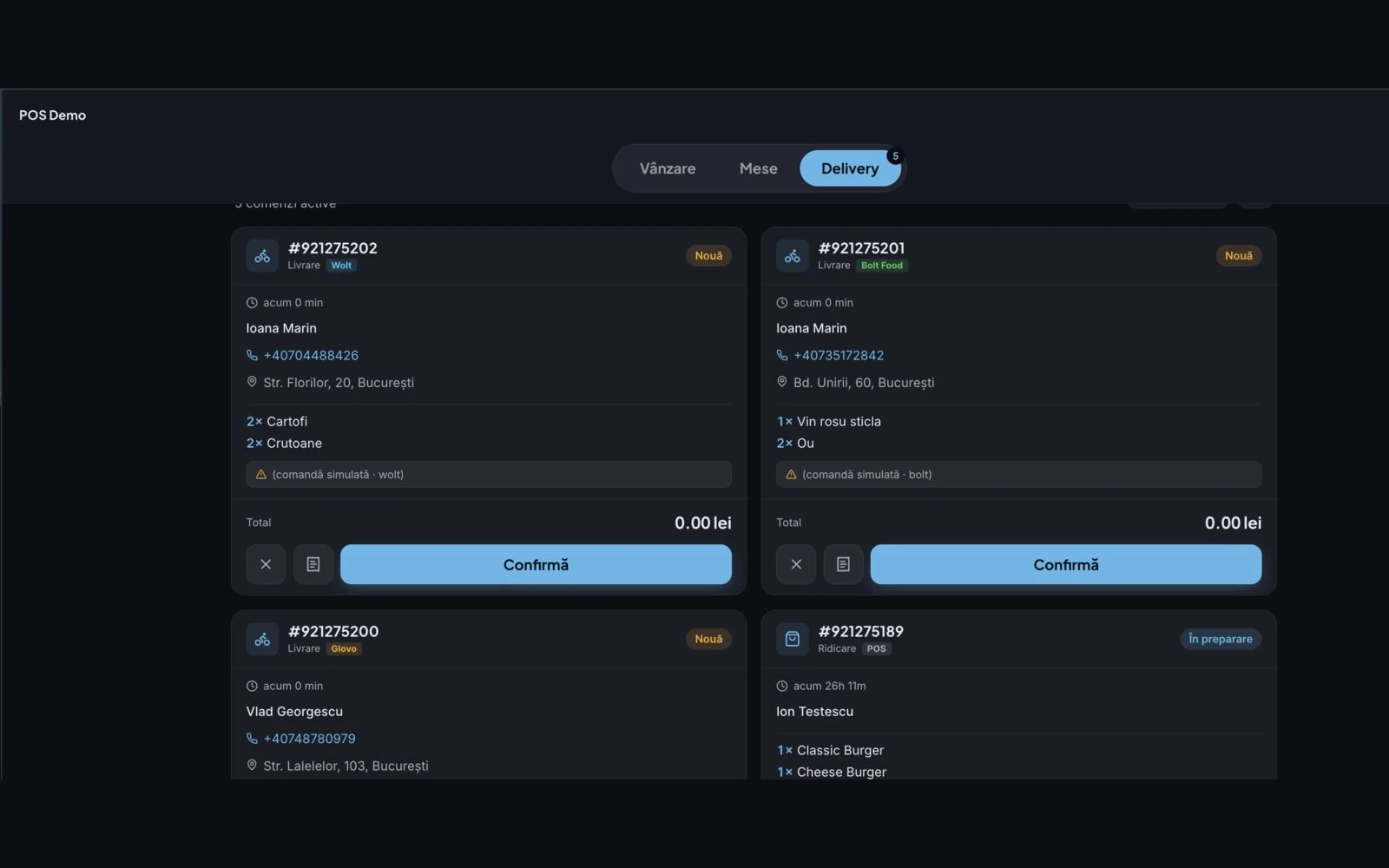
Orders from the portals land in the same list as the ones from the till, from your online store and from the QR menu. You accept them once, they go to the kitchen and onto the receipt with no extra steps.
- Accepted from the same screen, whatever the channel
- Sent straight to the kitchen or the bar, on the KDS screen
- Fiscal receipt through the same flow as a sale at the till
- Pickup by your couriers or by the portal's
See what each channel brings in.
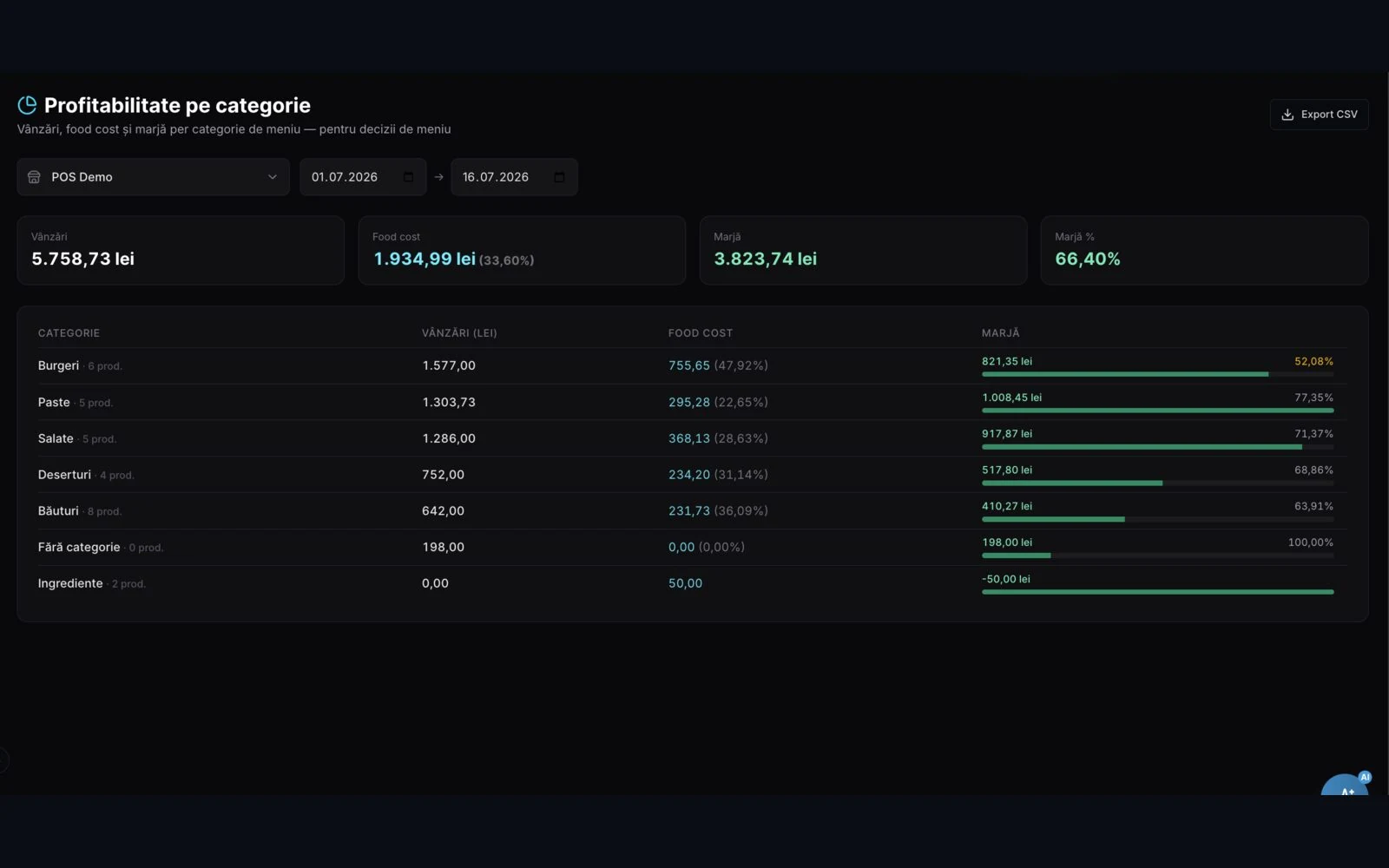
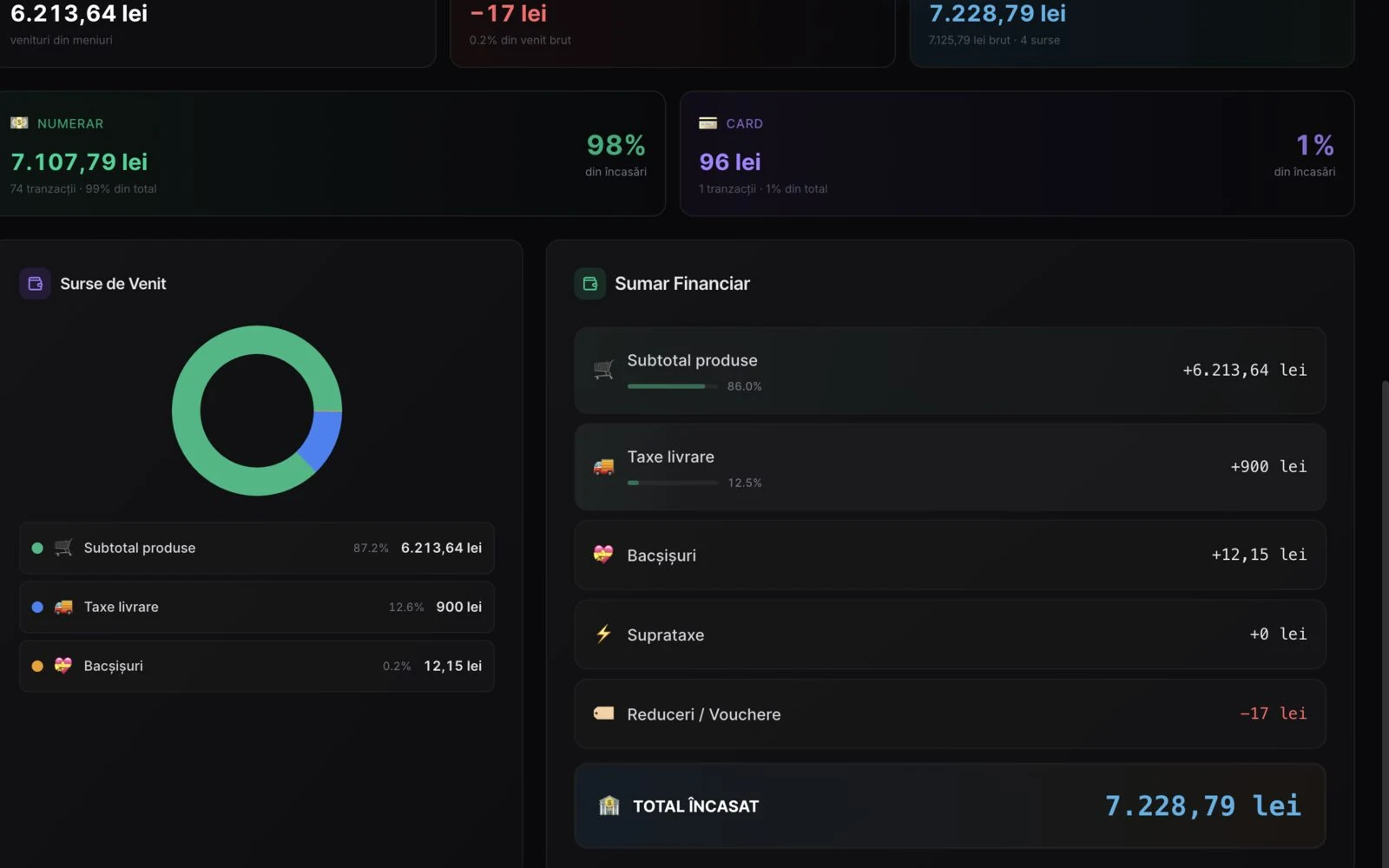
Every order keeps its source, so the report shows you separately what comes from Glovo, from Wolt, from Bolt Food, from Foodify and what comes straight from you. With the commission deducted, so you see what is left.
- Orders and revenue broken down by portal
- Top products, channel by channel
- Margin after commission, not just the gross figure
- The same figures in the Z-report and in accounting
We integrate the portals. And we get you out of them.
Aggregators bring you customers you would never have had, but they take a slice of every order. The healthiest position is neither "portals only", nor "own channel only", but both, in the same system, so you can see in black and white how much each one brings in.
Order through an aggregator
- Commission on every order, for life
- The customer belongs to the portal, not to you: you have no phone number, no history
- The portal sets the promotion and visibility policy
- Complaints and penalties go by their rules
Order on your own channel
- Online store under your own brand, with its own checkout
- The customer stays yours: contact details, history, loyalty points
- You deliver with your own couriers, through dispatch in the same system
- You decide the prices and the promotions
In practice: you let the portals bring you the first customer, then you move them to your own channel. You need your own online store as the destination and dispatch with your own couriers so you deliver without paying commission. Both run on the same core; see the pricing page for how each is licensed.
Three steps, then you never touch it again.
We connect the account
You give us partner access for your locations, and we do the setup in the channels panel: virtual store, credentials and webhook, per restaurant.
We publish the menu
We map the products in DelivCore onto those in the portal, once. From there on, every price or availability change goes out automatically.
Orders flow in
Orders come into the POS, print in the kitchen and land on the receipt. You watch them on a single screen, and in the evening you find them by channel, in the report.
Four things you no longer do by hand.
Synced prices
You change the price in DelivCore, not in every portal. The change propagates to every connected channel.
Orders straight into the POS
No re-typing and no separate tablet. The order comes in, goes to the kitchen and lands on the fiscal receipt.
Real-time availability
Run out of a product? You disable it once and it disappears from the connected portals, not just from the till.
Stores switched on and off
Closing early or taking a day off? You switch the channel off from the same panel, without logging into the portal.
What restaurants ask us.
Do I need a contract with Glovo, Wolt or Bolt Food?
How long does connecting take?
What happens with the fiscal receipt?
What happens if a portal sends the wrong price?
Can I keep both the portals and my own online store?
Does it work for several locations?
Can I see earnings from all delivery platforms in one dashboard?
Does connecting delivery channels create my own marketplace?
What this connects to.
Let's connect the portals.
We show you on your own data what a portal order looks like as it lands in the POS by itself, goes to the kitchen and ends up in the report.