
The restaurant manager app, on your phone.
See the day from anywhere: till takings, orders in progress, stock, reservations and who is on shift. The figures come from the same system as your POS.
Available to DelivCore customers, on iPhone and Android. The app interface is currently in Romanian.
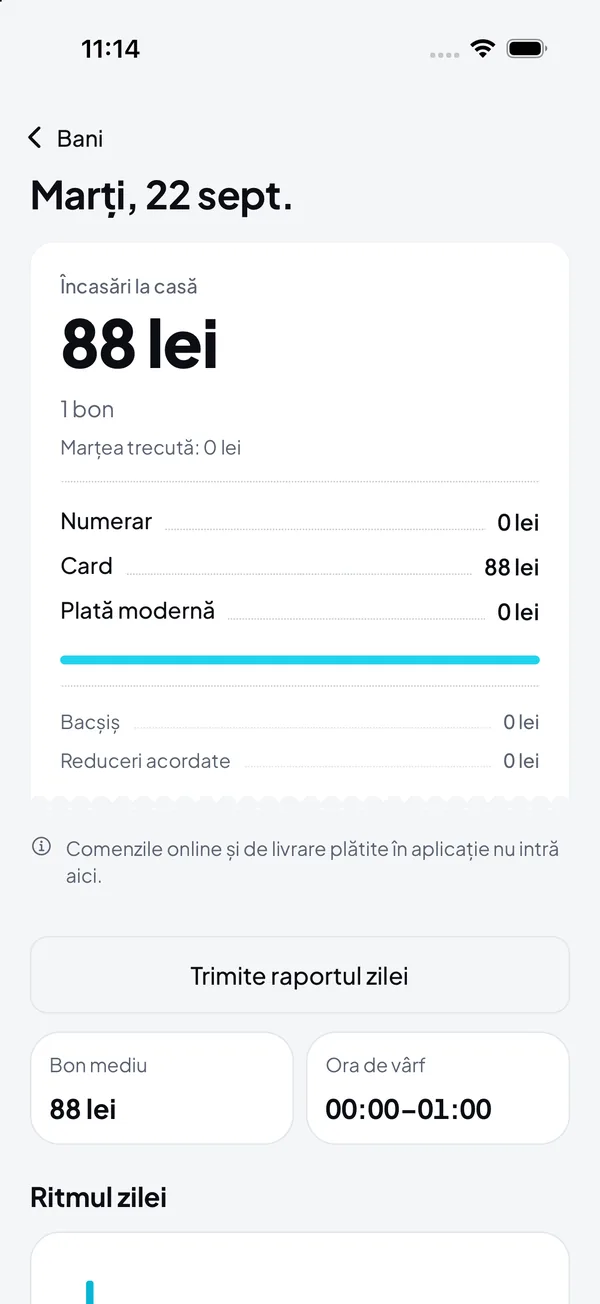
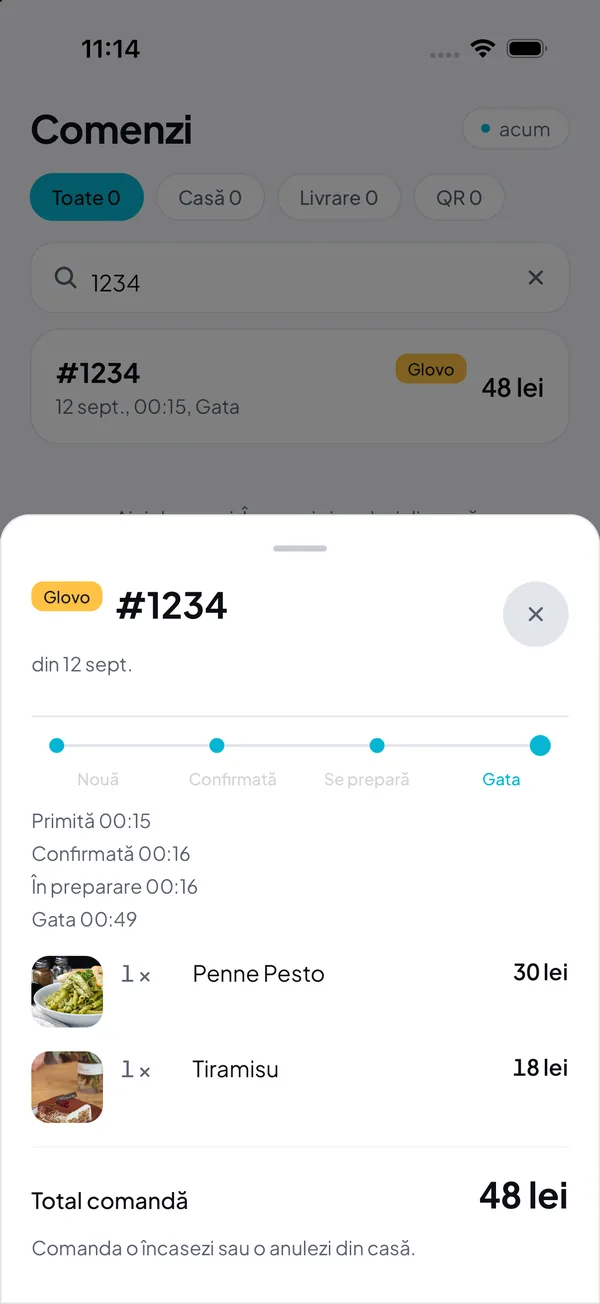
Screenshots from the app, on the DelivCore demo restaurant.
The day, at a glance.
The home screen shows today's till takings, compared with the same weekday last week, and what is happening in the restaurant now.
Today's takings
Cash, card and electronic payments, plus tips and discounts. Average receipt, peak hour and the rhythm of the day, hour by hour.
Right now
Occupied tables, open orders and the oldest of them, which changes colour if it has been waiting more than 20 minutes.
The week and the month
The last 7 days and the current month, with the best-selling products, takings by operator and the differences at till close.
The day's figure is what was taken at the till. Orders paid online are not included. You can send the day's report as text, from the phone, to anyone you choose.
Orders, as they come in.
See open orders from the till, from tables through the QR menu and from delivery platforms, updated while the app is open.
Every channel
Filters for till, delivery and QR, with the platform label: Glovo, Wolt or Bolt Food.
The order
The items, the time of each step and how long it took, from New to Ready.
Search and voids
Find an order by number and see the day's voids: cancelled orders and items removed from a bill.
The app shows you the orders. You take payment and void them at the till.
Stock and inventory counts, in your pocket.
The menu is grouped by category, with photos and the items that are stopped right now. The same screen opens stock and inventory counts.
- Food cost per portion, calculated from the recipe, with a signal above 30%.
- Stock per product, with anything under its threshold first, and each product's movements: sales, goods receipts, inventory counts, waste.
- An inventory count on the phone: save each count as you go, and keep the draft without a signal.
Goods receipts stay in inventory, in the admin.
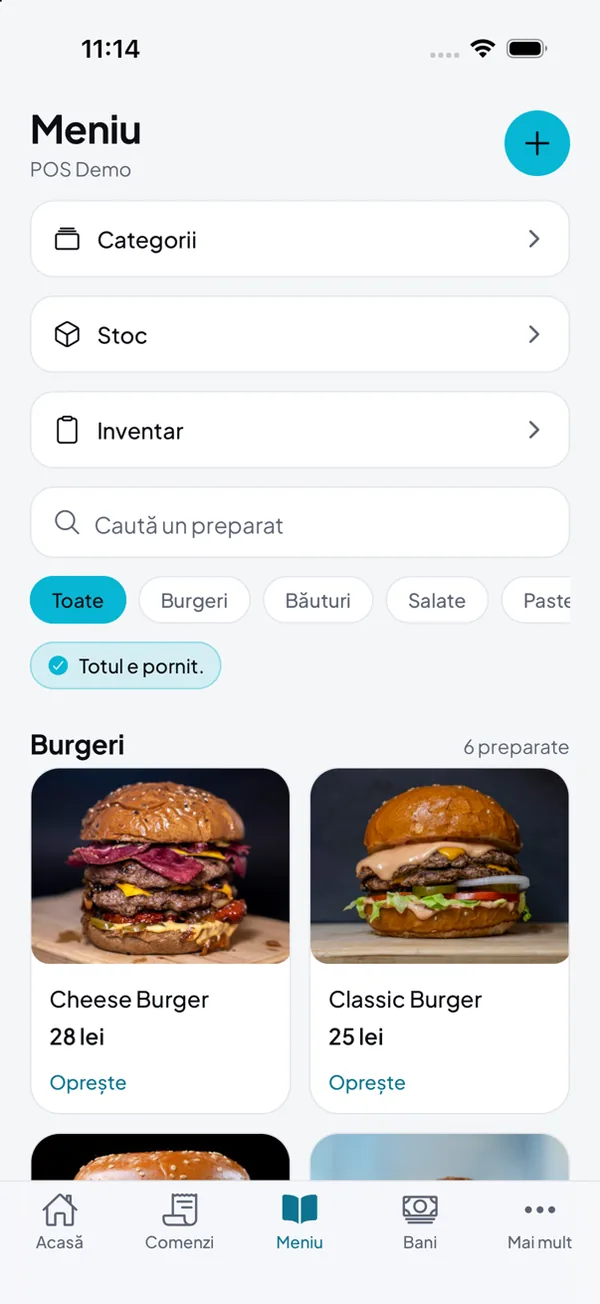
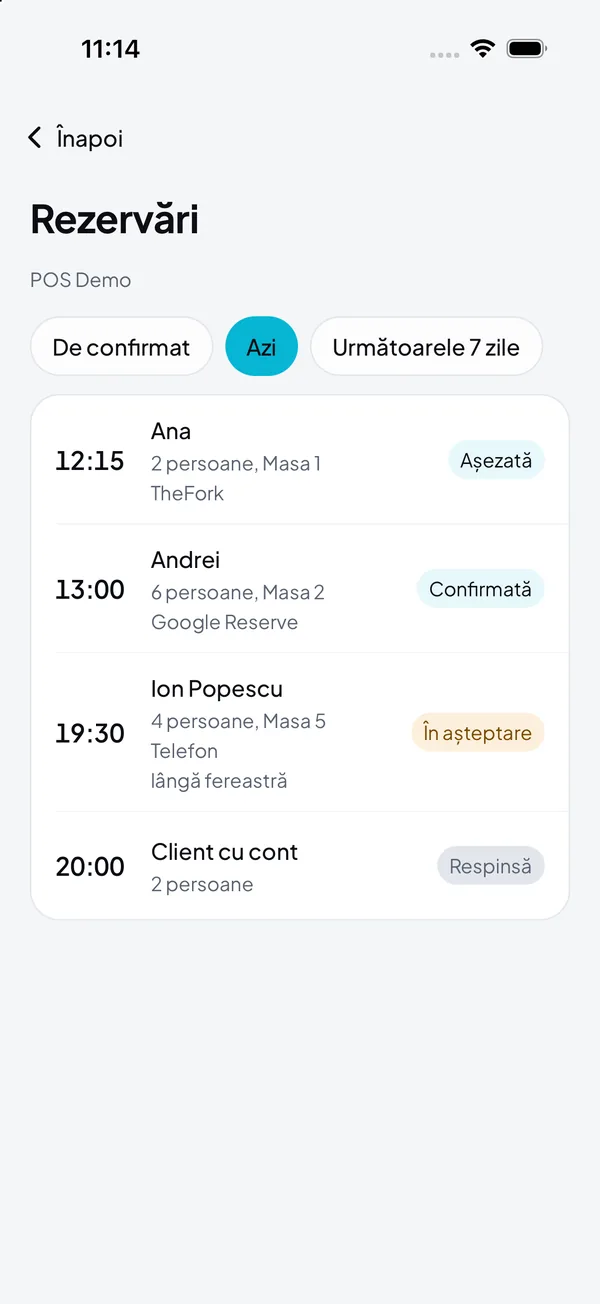
Table reservations, confirmed from the phone.
See reservations waiting to be confirmed, today's, and the next 7 days, with the party size, the table and the source: phone, TheFork or Google Reserve.
- Confirm or decline a reservation that is waiting.
- Mark when the guest arrived, or that they did not come.
New reservations and table assignment are done in the POS or in the admin.
Who is working, and what you still have to pay.
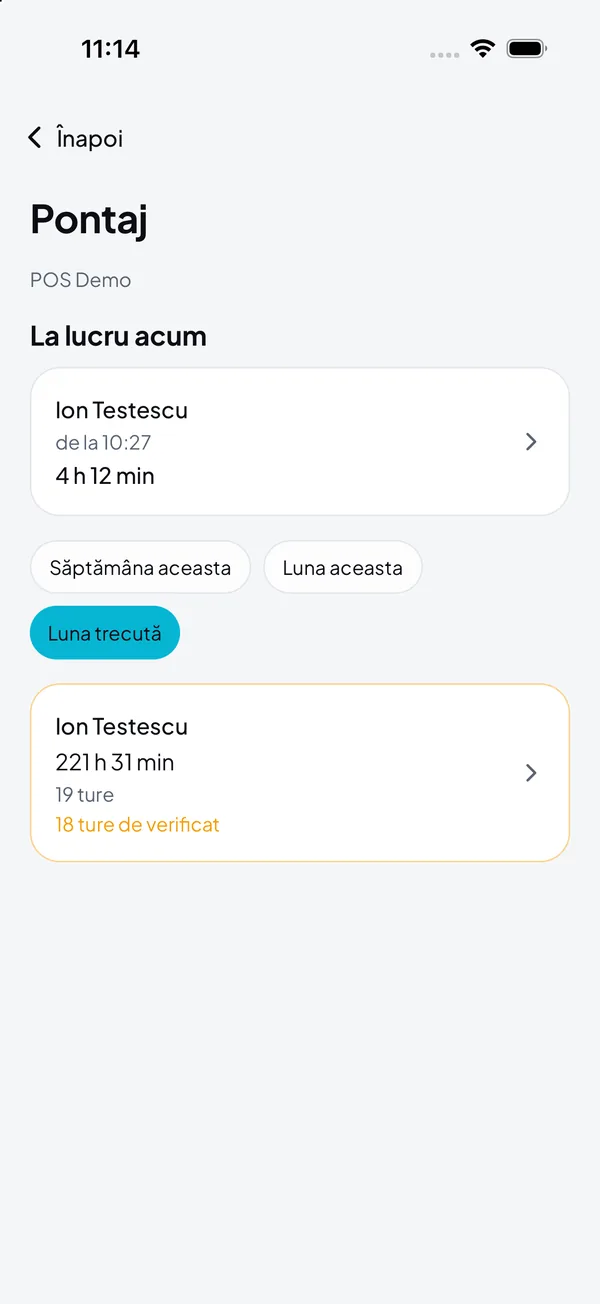
- Hours: who is on shift now, shifts closed today, and each person's hours this week, this month or last month, from the till sessions.
- Suppliers to pay: what you owe, what is overdue and on which terms, with each invoice and its due date.
Only the venue owner sees the hours. Corrections and supplier payments are made in the admin.
The phone tells you what is worth seeing.
You turn alerts on in the app, for the venue you chose. They show while the app is open, and they update.
Till left open
A till that is still open from a previous day.
Order not accepted
An online or platform order that has been waiting more than 10 minutes.
Difference at close
The cash count does not match what the system expected.
Stock under the threshold
Products that have fallen below the threshold you set.
Several venues. Access only for the people who need it.
All of your venues
See today's takings and open orders for each venue in one list, and switch from one to another.
Owner and manager only
Waiters and cashiers work in the till app. Only the owner and the venue managers sign in to Manager.
Without a signal too
The last figures from Home, Orders and Money stay on screen, with the time they were loaded.
How you start it
The restaurant code
Enter the restaurant code, or scan the QR code we gave you.
Your account
Sign in with the owner or manager email and password, the same ones as in the admin.
The day
You see the venue's day. If you have more than one, you choose which one to open.
The app reads the data in the DelivCore restaurant POS. For the day's fiscal close, see fiscal compliance. You also run a hotel or a guesthouse? See the hotel manager app.
Frequently asked questions
How do I get access to DelivCore Manager?+
Is this the same app customers use to order?+
Which phones does the app run on?+
Do I also see Glovo, Wolt and Bolt Food orders?+
Can I take payment or void an order in the app?+
Do the takings in the app include online orders?+
What does a manager see, compared with the owner?+
Does it work without a signal?+
Can I see more than one venue?+
See the app on a DelivCore restaurant
In the demo we show DelivCore Manager connected to the POS: a venue's takings, orders, stock and reservations, on a phone.